
Arduino UNO Original Development Board R3V2 with USB Cable (DB0115) Products

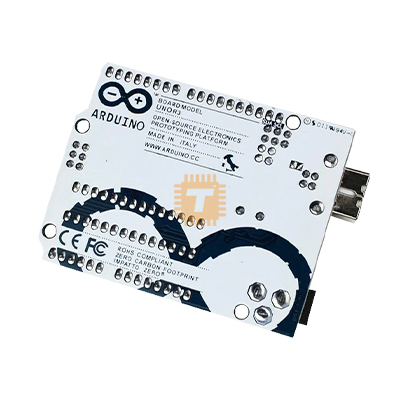
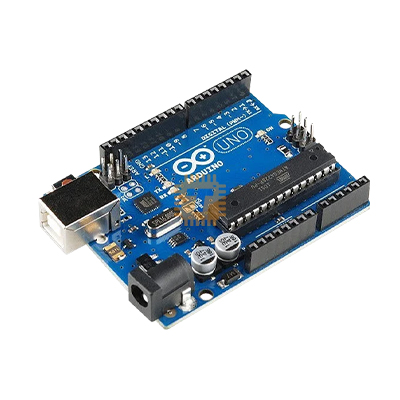
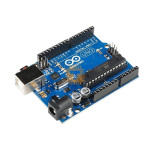
| Name | Arduino UNO Original Development Board R3V2 with USB Cable |
| Code | DB0115 |
| Price | Rs.1,500.00 |
| In Stock | Yes |
| Package | MODULE |
Product Details
Arduino Uno Board
The Arduino Uno is an open-source microcontroller board based on the ATmega328 chip. This Board has 14 digital input/output pins, 6 analog input pins, an onboard 16 MHz ceramic resonator, a port for USB connection, an onboard DC power jack, An ICSP header, and a microcontroller reset button. It contains everything needed to support the microcontroller. Using the board is also very easy; simply connect it to a computer with a USB cable or power it with a DC adapter or battery to get started.
The Uno differs from all preceding boards in that it does not use the FTDI USB-to-Serial driver chip. Instead, it features the Atmega16U2 (up to version R2) programmed as a USB-to-serial converter. While the Arduino UNO can be powered via the USB connection or with an external power supply, the power source is selected automatically.
External (non-USB) power can come either from an AC-to-DC adapter (wall-wart) or a battery. The adapter can be connected by plugging a 2.1mm center-positive plug into the board's power jack. Also, leads from a battery can be inserted in the GND and Vin pin headers of the Power connector. The board can operate on an external supply of 6 to 20 volts. If supplied with less than 7 volts, however, the 5 volt pin may supply less than five volts, and the board may be unstable. If using more than 12 volts, the voltage regulator may overheat and damage the board. The recommended range is 5 volts to 12 volts for the Arduino Uno.
Features:
- Microcontroller: ATmega328
- Operating Voltage: 5V
- Input Voltage: 7-9V
- Digital I/O Pins: 14 (of which 6 provide PWM output)
- Analog Input Pins: 6
- DC Current: 40mA
- Flash Memory: 32 KB
- SRAM: 2 KB
- EEPROM: 1 KB
- Clock Speed: 16 MHz
Applications of Arduino Uno
- DIY project prototyping
- Developing varied varieties of projects that require code-based control
- Automation System development
- Learning AVR programming
- Entry-level circuit design
Sharing is caring, show love and share the product with your friends.
Featured


Add to Cart
Other Products

Add to Cart
Add to Cart

Add to Cart

Add to Cart
