Creality Display Kit for Ender 3 V3 SE (MT0495) Products
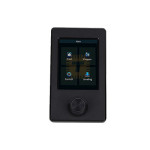
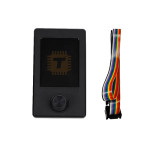
| Name | Creality Display Kit for Ender 3 V3 SE |
| Code | MT0495 |
| Price | Rs.7,800.00 |
| In Stock | Yes |
| Package | CNC |
Product Details
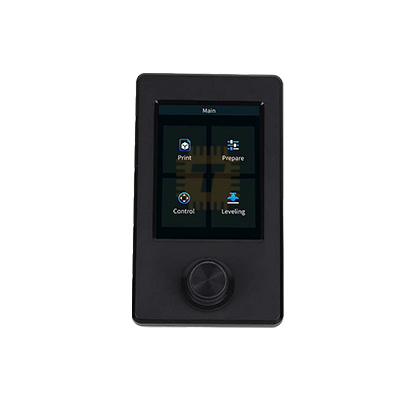
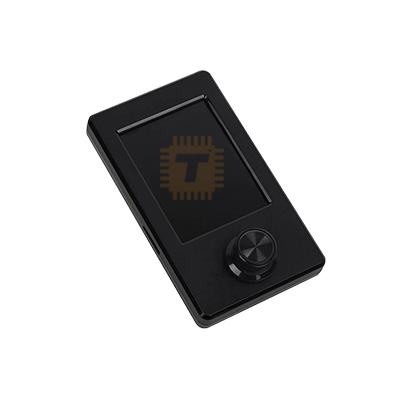
The Creality Display Kit for Ender-3 V3 SE is an original factory replacement 3.2-inch color UI screen assembly engineered specifically for the Ender-3 V3 SE desktop FDM 3D printer. Featuring a vibrant graphic display with an intuitive rotary knob interface, this complete screen module integrates dynamic UI preview graphics, real-time auto-leveling visualization, and multi-language support to restore full operational control and responsive human-machine interface performance.
Specification
- Product Type: Graphic Screen Display Assembly / Human-Machine Interface (HMI) Kit
- Display Size: 3.2-Inch Color Graphic Display
- Control Interface: Rotary Encoder Knob with Integrated Push-Button Action
- Connection Interface: Standard Multi-Pin Flat Ribbon Cable Header
- Operating Voltage: 24V DC (Powered directly from the 32-bit mainboard via ribbon cable)
- Mounting Bracket Material: High-Impact Injection-Molded ABS Thermoplastic
- Display Orientation: Portrait Orientation (Standard Ender-3 V3 SE layout)
- Firmware Support: Native support for Creality Ender-3 V3 SE 32-bit mainboard firmware
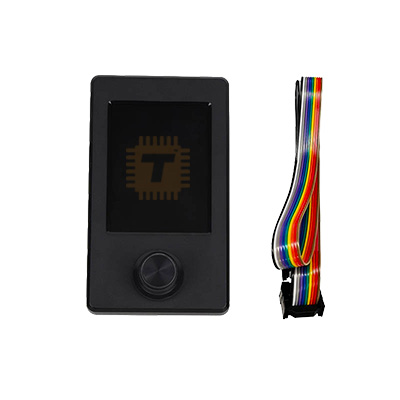
- Package Contents: 1 x 3.2-inch Color Display Unit + 1 x Mounting Bracket / Back Housing + 1 x Rotary Knob + 1 x Display Ribbon Cable
- Printer Compatibility: Exclusively designed as a direct-fit replacement for Creality Ender-3 V3 SE.
Features
- Vibrant 3.2-Inch Color Interface: Delivers clear, sharp visual readouts of nozzle temperature, bed temperature, print speed, Z-offset values, and remaining print time.
- Real-Time Auto-Leveling Visualization: Supports dynamic UI feedback that graphically displays the automated CR Touch bed leveling mesh and auto Z-offset calibration steps during the pre-print routine.
- Responsive Rotary Knob Navigation: Equipped with a smooth, tactile rotary knob with click-to-select functionality, making menu navigation, temperature adjustments, and manual axis movements quick and precise.
- Seamless Plug-and-Play Installation: Designed as an exact factory-spec assembly with pre-molded mounting brackets and an included flat ribbon cable, requiring no firmware recompilation or physical modifications.
- Durable Protective Housing: Enclosed in a rugged ABS plastic rear casing that protects the internal PCB from static discharge, dust, and physical impacts during everyday workshop operation.
Common Applications
- Factory Screen Replacement: Replacing damaged, cracked, flickering, or non-responsive stock display screens on the Creality Ender-3 V3 SE.
- Encoder Knob Repair: Fixing broken, slipping, or unresponsive rotary knob navigation issues caused by physical wear or accidental impacts.
- Display Cable Fault Fix: Restoring corrupted screen graphics, blank blue screens, or communication dropouts caused by frayed or crimped ribbon cables.
Professional Installation and Maintenance Tips
- Power Off Before Connecting: Always switch off the printer main power and disconnect the AC power cord before plugging or unplugging the screen ribbon cable to avoid short-circuiting the mainboard display port.
- Ensure Correct Ribbon Cable Orientation: Verify that the notched connector on the flat ribbon cable is fully seated and securely latched into both the screen PCB header and the 32-bit mainboard header.
- Update Screen Firmware if Necessary: If the replacement display shows inverted colors, missing text, or an outdated UI layout, download the official Ender-3 V3 SE screen firmware from the Creality website, load it onto a FAT32-formatted MicroSD card (32GB or smaller), insert it into the rear SD slot on the display PCB, and power on the printer to flash the screen UI.
- Avoid Over-Torquing Mounting Screws: When fastening the bracket to the printer aluminum extrusion base, tighten the mounting screws snug to secure the screen in place without cracking the plastic mounting tabs.
Sharing is caring, show love and share the product with your friends.
Featured


Add to Cart

Add to Cart
Other Products
Add to Cart