RDA5087 FM Radio 50-108MHz DIY Kit CAI-269 (MD0922) Products
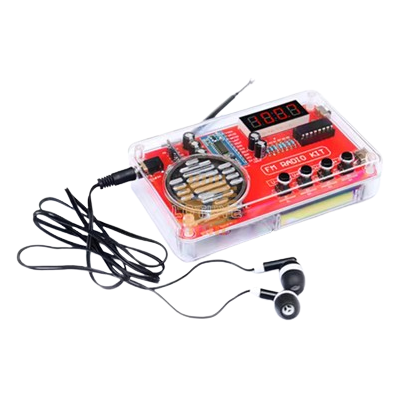
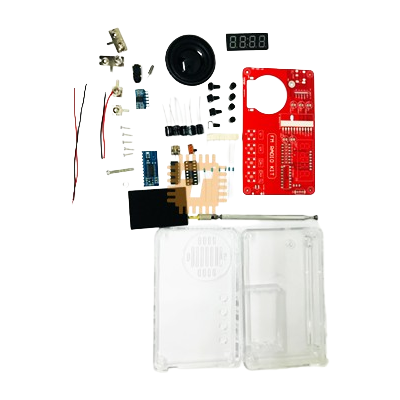
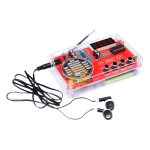
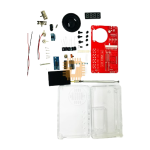
| Name | RDA5087 FM Radio 50-108MHz DIY Kit CAI-269 |
| Code | MD0922 |
| Price | Rs.2,350.00 |
| In Stock | Yes |
| Package | AUD |
Product Details
The products which are suitable for electronic enthusiasts to study and repair circuits. We only guarantee that the products are in good condition before delivery, and cannot guarantee 100% success after installation. The installation of the circuit requires the buyer to have experience in the circuit, please read the product description carefully before payment.
Batteries are not included in the accessories
Product parameters
- Model: G123
- Name: FM FM Radio Production Kit
- Control chip: RDA5807 8002D (STC81K17)
- Power supply method: 3 No. 7 batteries, 3.7V lithium batteries
- Speaker: 1.5-inch 4-ohm 3W speaker (outer diameter 40mm)
- Search range: 50-108 MHz
- Signal to noise ratio:>60dB
- Sensitivity:<10uV>
- Frequency response: 150Hz-20KHz
- Material: Transparent plastic shell, double-sided epoxy circuit board
- Product size: 115 x 70 x 28mm
Radio Core Description
The RDA5807FP series is the latest generation of single-chip broadcast FM stereo radio tuners, with fully integrated synthesizers, intermediate frequency selectivity, RDS/RBDS, and MPX decoders. This tuner adopts CMOS technology, supports multiple interfaces, and has lower requirements for external components. The packaging size of SOP16. No need for adjustment at all, very suitable for portable devices. The RDA5807FP series has a powerful low to mid frequency digital audio processor, which gives it the best sound quality under different reception conditions. The frequency range supported by the RDAS807FP series is from 50MHz to 115MHz
Power Amplifier Chip Description
8002D is an AB class, single channel with turn off mode, bridge type audio power amplifier. When inputting a working voltage of 1KHz and 5V, the maximum driving power is 3W (4 Ω load, THD<10>
- Power on and off: Connect the battery upwards for power supply (battery version); Connect the charging battery downwards for power supply (limited to charging versions)
- Channel search: Press and hold the channel search button for 2-3 seconds, then release it to automatically search for channels, and store the found channels in the order of P01-P02
- Channel selection: Press CH - to select the previous channel, press CH+ to select the next channel, and the digital display will display the corresponding radio frequency
- Volume adjustment: Press V - to decrease the volume, press V+ to increase the volume. Display L00 as silent, display L01-L16 as volume from low to high
- Use of headphones: Insert the headphone into the headphone jack, and sound will be played from the headphones. Kit does not come with headphones
When searching for and using radio stations, the antenna should be extended to find the appropriate direction. In areas with many buildings or remote mountainous areas, there may be fewer or no radio stations to search for.
Sharing is caring, show love and share the product with your friends.
Featured

Add to Cart
Add to Cart

Add to Cart