Bambu Lab A1 3D Printer (Global Version) (MT0508) Products
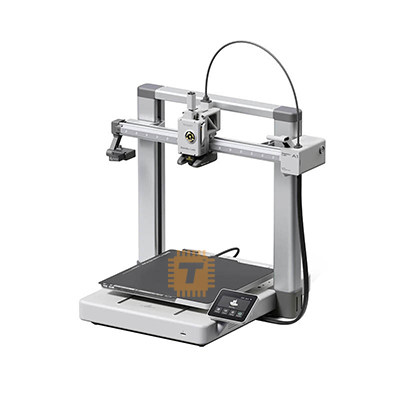
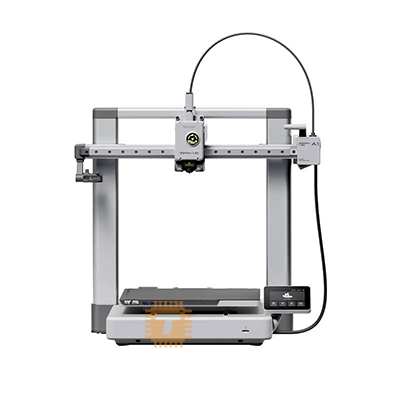
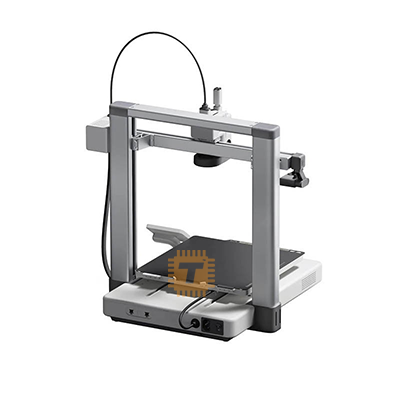
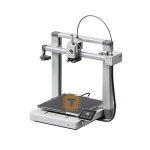
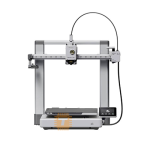
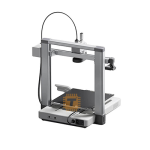
| Name | Bambu Lab A1 3D Printer (Global Version) |
| Code | MT0508 |
| Price | Rs.1,50,000.00 |
| In Stock | Yes |
| Package | CNC |
Product Details
The Bambu Lab A1 3D Printer (Global Version) is a full-sized, high-speed desktop FDM 3D printer engineered for outstanding precision, automated convenience, and effortless multi-color printing. Featuring a spacious 256 x 256 x 256 mm³ build volume, rigid all-metal linear rails, active motor noise canceling, and real-time active flow rate compensation, the A1 delivers print speeds up to 500 mm/s with exceptional surface quality and zero manual calibration.
Specification
- Brand / Manufacturer: Bambu Lab
- Product Model: A1 (Global Version)
- Printing Technology: Fused Deposition Modeling (FDM / FFF)
- Build Volume: 256 x 256 x 256 mm³
- Chassis Structure: Rigid Dual-Z Axis Frame with All-Metal Linear Rails & Steel Motion Components
- Maximum Toolhead Speed: Up to 500 mm/s
- Maximum Acceleration: Up to 10,000 mm/s²
- Maximum Hotend Temperature: Up to 300°C
- Maximum Heated Bed Temperature: Up to 100°C
- Nozzle Type: Quick-Swap All-Metal Hotend (0.4mm Stainless Steel included; 0.2mm, 0.6mm, 0.8mm optional)
- Filament Compatibility: 1.75mm diameter; PLA, PETG, TPU, PVA, ABS*, ASA*, PC* (*For non-enclosed compatible profiles)
- Multi-Color / Multi-Material Support: AMS Lite Compatible (Supports up to 4 colors/materials)
- Auto-Bed Leveling & Z-Offset: Fully Automated (Dual-sensor mesh bed leveling with zero manual bed knobs)
- Sensors & Monitoring: Active Flow Rate Compensation (Eddy-current sensor), Filament Runout Sensor, Filament Tangle Sensor, Filament Odometry, Power Loss Recovery
- User Interface: 3.5-inch 320x480 Color IPS Touchscreen
- Camera: Built-in 1080p Low-Frame Rate Camera with Physical Privacy Shutter (Supports live monitoring and timelapse recording)
- Connectivity: Wi-Fi, Bambu Bus Cable, MicroSD Card
- Slicing Software: Bambu Studio, Bambu Handy (Mobile App), OrcaSlicer
- Physical Dimensions & Net Weight: 385 x 410 x 430 mm³ | Approx. 8.3 kg
Features
- Full-Auto Calibration & Out-of-the-Box Ready: Automatically performs bed leveling, Z-offset calibration, vibration resonance compensation, and nozzle pressure advance before every print—eliminating all manual bed adjustments.
- Active Flow Rate Compensation: Incorporates a high-frequency eddy-current sensor in the toolhead to continuously measure extrusion pressure, dynamically adjusting flow to deliver sharp corners, smooth walls, and uniform layer lines.
- Multi-Color 4-Spool Printing (AMS Lite Ready): Seamlessly connects with the Bambu Lab AMS Lite unit for fast, automatic filament switching, multi-color prints, and specialized support material management.
- Active Motor Noise Canceling: Uses advanced motor drive algorithms to neutralize stepper motor frequency harmonics, keeping operational sound levels under 48 dB even at high speeds.
- Quick-Swap Modular Hotend: Allows one-clip, tool-free nozzle changes in seconds without handling delicate thermistor wires or heater cartridge screws.
- Rigid Dual-Z & All-Metal Rail Motion: Employs all-metal linear rails along the X and Y axes paired with dual synchronized Z-axis leadscrews to maintain exceptional dimensional accuracy and structural rigidity across the full build volume.
- Bambu Cloud & MakerWorld Integration: Start, monitor, and adjust print jobs remotely via the Bambu Handy mobile app or Bambu Studio desktop slicer with seamless one-click printing from MakerWorld.
Common Applications
- Large-Scale Prototyping: Printing full-size functional prototypes, mechanical brackets, electronic enclosures, and tooling fixtures up to 256mm³ in PLA and PETG.
- Multi-Color Figurines & Art Models: Producing detailed multi-color miniatures, architectural scale mockups, cosplay helmets, and decorative home items.
- Flexible Wearables & Gaskets: Printing flexible TPU phone cases, drone bumpers, vibration dampeners, and custom seals using the direct-drive toolhead.
- Batch Production & Maker Workshops: Handling rapid multi-part print jobs with reliable automated startup checks and remote camera supervision.
Professional Installation and Maintenance Tips
- Maintain Bed Cleanliness: Regularly wash the dual-sided textured PEI sheet with warm water and basic dish soap to remove oils and maintain strong first-layer adhesion without using glue.
- Periodic Motion Rail Lubrication: Lubricate the steel linear guide rails and Z-axis leadscrews every few hundred operating hours using the supplied oil and grease to ensure quiet, smooth motion and prevent wear.
- Verify Hotend Clip Lock: After swapping nozzles, confirm that the front silicone latch and locking clip are fully seated and latched before heating the toolhead.
- Position Clear of Drafts: Keep the open-chassis printer away from air conditioning vents and open windows to prevent localized cooling drafts that can cause edge lifting on large-footprint models.
Sharing is caring, show love and share the product with your friends.
Featured


Add to Cart

Add to Cart

Other Products

Add to Cart
Add to Cart