
Creality 235x235mm Black Tempered Glass Plate Bed Platform Build Surface (MT0009) Products
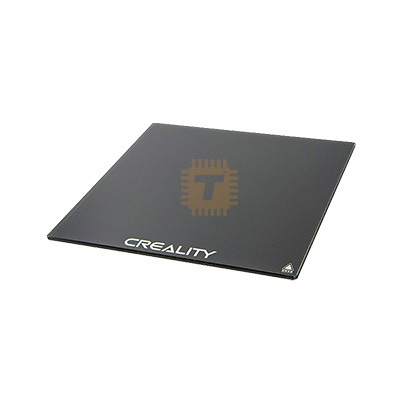
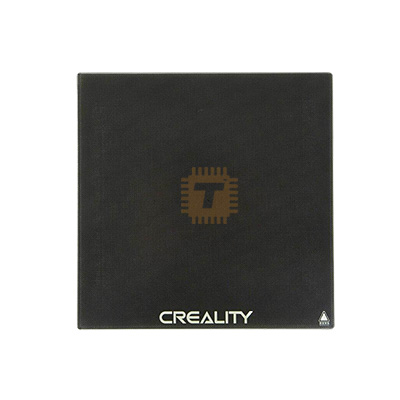
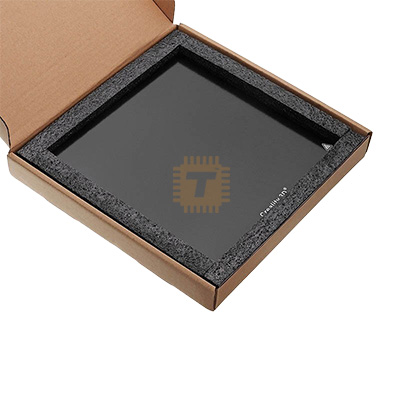

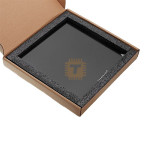
| Name | Creality 235x235mm Black Tempered Glass Plate Bed Platform Build Surface |
| Code | MT0009 |
| Price | Rs.2,500.00 |
| In Stock | Yes |
| Package | CNC |
Product Details
The Creality 235x235mm Black Tempered Glass Plate is a smooth, high-precision build surface engineered to fix uneven heat beds on 235 x 235mm 3D printers. Crafted from high-hardness borosilicate tempered glass, this ultra-flat platform eliminates bed warping, distributes heat evenly across the entire surface, and produces a glossy, mirror-like finish on the bottom of 3D prints.
Specification
- Manufacturer: Creality 3D
- Dimensions: 235mm x 235mm x 4mm
- Base Material: High-Purity Borosilicate Tempered Glass (Thermal expansion resistance up to 400^\circ\text{C}$)
- Surface Profile: Ultra-Smooth Mirror Finish (Uncoated / Raw tempered glass)
- Hardness Rating: Up to 8 Mohs (Scratch-resistant against standard nozzle contacts)
- Attachment Method: Swiss clips, bed binder clips, or corner silicon pads
- Printer Compatibility: Fits Ender-3, Ender-3 Pro, Ender-3 V2, Ender-3 S1 / S1 Pro, Ender-3 V3 SE / KE, Ender-5, Ender-5 Pro, CR-20, and other standard $235 \times 235\text{mm}$ heat bed 3D printers.
Features
- Perfectly Flat Surface: Provides a flat foundation that covers aluminum bed warps, dips, and high spots. This makes leveling straightforward and maintains a consistent Z-offset across the entire bed.
- Glossy Mirror Bottom Finish: Because the top surface is completely smooth tempered glass, the bottom layer of your printed models cures against a flat plane, resulting in a mirror-like finish on contact surfaces.
- High Thermal Stability: Borosilicate glass resists thermal shock and maintains structural integrity at high temperatures. It spreads thermal energy evenly, reducing cold spots that cause print corners to warp.
- Easy Maintenance & Durability: Resistant to deep scratches from plastic scrapers. The raw glass surface doesn't degrade over time like sticker surfaces, making it easy to wipe down and keep clean.
Professional Usage & Maintenance Tips
- Adjust Z-Axis Limit Switch / Offset First: Adding a 4mm thick glass plate significantly increases your bed height. Before homing your printer, raise your Z-axis endstop switch by 4mm or update your Z-offset if using an auto bed leveling probe (like a BL Touch or CR Touch). This prevents the nozzle from scraping against the glass surface.
- Keep the Surface Free of Oils: Fingerprint oils disrupt adhesion on smooth glass. Clean the plate regularly with 90%+ Isopropyl Alcohol (IPA) and a microfiber cloth. If prints fail to stick despite proper leveling, wash the glass under warm water with basic dish soap to remove built-up oil film.
- Always Use a Release Agent for PETG and TPU: Never print PETG or flexible TPU directly on bare glass. PETG bonds to raw glass as it cools, which can pull chunks out of the glass surface (known as "glass chunking"). Apply a thin layer of washable glue stick or hairspray to serve as a protective release barrier.
- Slow Down the First Layer Speed: Smooth glass lacks the mechanical grip of textured surfaces. Set your 3D slicer's first-layer print speed to 15 - 20mm/s and increase your initial layer line width slightly (e.g., 120%) to squish the filament down for better bed adhesion.
Sharing is caring, show love and share the product with your friends.
Featured

Add to Cart

Add to Cart

Add to Cart

Add to Cart
Other Products
Add to Cart
Add to Cart
