ATX Power Supply Tester (PS0123) Products
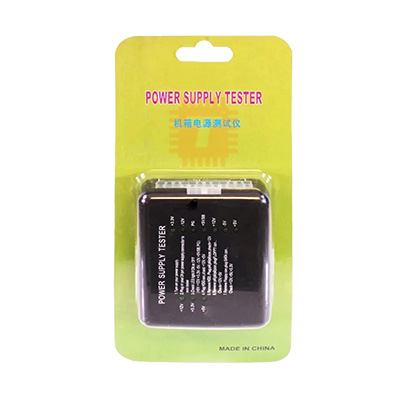
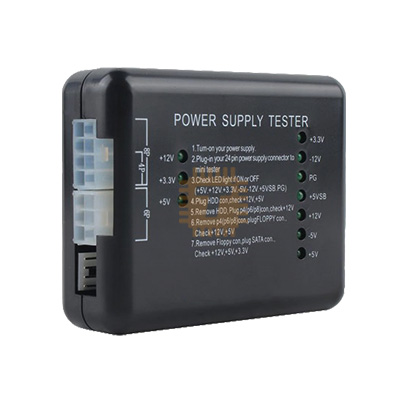
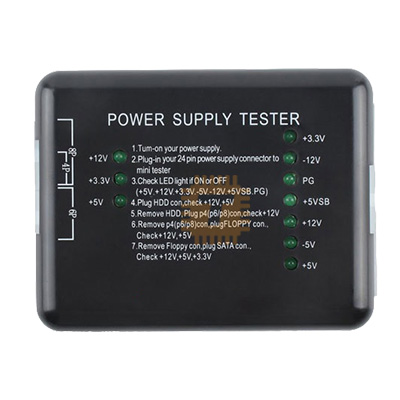
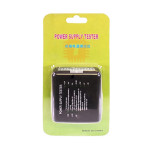
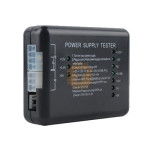
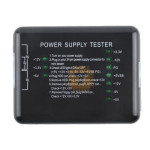
| Name | ATX Power Supply Tester |
| Code | PS0123 |
| Price | Rs.1,120.00 |
| In Stock | Yes |
| Package | POW |
Product Details
A Digital Power Supply Tester is a rugged, diagnostic tool engineered for testing and troubleshooting ATX, BTX, and ITX-compliant computer power supply units (PSUs). By providing dedicated slots for every major motherboard power rail, this diagnostic tool allows technicians and system builders to instantly read output rail voltages and power-good timing signals (PG) on a built-in LCD screen. This tool isolates power issues, identifying faulty power units before they damage delicate components like CPUs, RAM, and graphics cards.
Specifications
- Supported Input Connectors: 24-Pin (or 20-Pin) Main ATX, 4-Pin/8-Pin (CPU), 6-Pin/8-Pin (PCI-e Graphics), 4-Pin Molex (Peripheral), SATA, and 4-Pin Floppy.
- Monitored Voltage Rails: +12V₁, +12V₂,-12V, +5V, +3.3V, and +5V Standby (+5VSB).
- Voltage Detection Precision: ±0.1V
- Power-Good (PG) Time Range: 100ms - 900ms (displayed on LCD display).
- Fault Warning System: Onboard audible buzzer and flashing backlight alert indicators for over-voltage, under-voltage, or missing signal rails.
- Chassis Material: Impact-resistant ABS plastic or heavy-duty aluminum alloy enclosure housing.
- Power Source: Bus-powered (Draws operating current directly from the attached PSU; no batteries required).
Features
- Real-Time Digital LCD Readout: Replaces dangerous manual multimeter probing with an organized, bright backlit display that outputs all major DC voltage rails simultaneously.
- Automated Power-Good (PG) Diagnostic: Measures the critical power-good delay time (PG). This is the timing delay required for a PSU's internal voltages to stabilize before giving the motherboard permission to boot.
- Audible Fault Alarms: If any voltage rail drops below operational standards, climbs too high, or if the $PG$ signal fails, the tester emits a continuous beeping alarm and flashes the screen to warn the operator.
- Comprehensive Plug Matrix: Features dedicated input sockets along its perimeter to check auxiliary lines like SATA power leads and PCI-e graphics cables under a safe standalone testing loop.
Common Applications
- PC Repair & Diagnostics: Quickly isolating whether a computer that won't turn on is suffering from a dead power supply, a shorted motherboard, or corrupted RAM modules.
- Custom PC Building: Bench-testing brand-new modular power supply units before routing complex cable management lines, ensuring the hardware is safe before connecting expensive components.
- Hardware Recyclers & Testing Labs: Batch-testing bulk quantities of salvaged or refurbished server and desktop power units to classify inventory rapidly.
- Overclocking Infrastructure Inspections: Checking the secondary +12V rails dedicated to high-draw GPUs to verify stability under standard baseline conditions.
Usage & Step-by-Step Instructions
1. Pre-Testing Safety Checklist
- Turn off your computer completely. Unplug the main AC power cord from the wall outlet or the rear of the power supply.
- CRITICAL: Disconnect all internal power cables from your computer's components (motherboard, hard drives, GPU, fans). Never run this tester while the power supply is still plugged into a motherboard, as it can cause ground loops or system damage.
2. Connecting the Cables
- Take the large 24-pin (or 20-pin) ATX power cable coming from the PSU and plug it firmly into the matching large slot on the power supply tester.
- If you want to check auxiliary lines (like a 4-pin/8-pin CPU lead, a SATA drive cable, or a 6+2 pin PCI-e cable), plug one auxiliary cable in at a time along the top or side ports of the tester block.
3. Powering Up and Reading the LCD Display
- Plug the AC mains power cord back into the rear of the PSU and flip the power supply's physical toggle switch to the ON ( I ) position.
- The tester will instantly boot up using the standby power. It will automatically trigger the PSU to spin up its fan and begin displaying numbers.
- Reading the Results:
- Normal State: If the power supply is healthy, the tester will emit a short, pleasant confirmation beep. The screen will light up, and all voltages (+12V, +5V, +3.3V, etc.) will show stable numbers close to their nominal values, alongside a healthy PG rating between 100ms and 900ms.
- Fault State: If the tester emits a continuous, loud beep and the display numbers flash or display "LL" (Low) or "HH" (High), your power supply is defective and must be replaced immediately.
4. Powering Down
- Once your diagnostics are noted, flip the power supply's rocker switch to OFF ( O ), wait for the tester screen to go dark, and carefully unplug your modular cables by squeezing their plastic release tabs.
Sharing is caring, show love and share the product with your friends.
Featured

Add to Cart

Add to Cart


Other Products
Add to Cart
Add to Cart
Add to Cart