
ESP32 CAM RHYX-M21-45 2Megapixel Camera Development Module (MD1002) Products
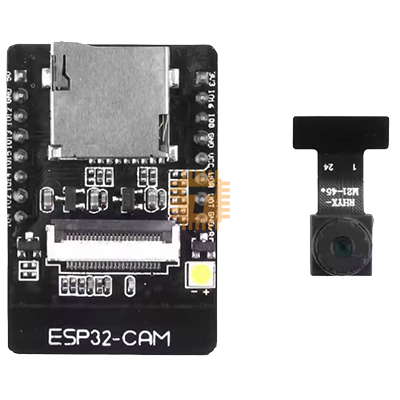
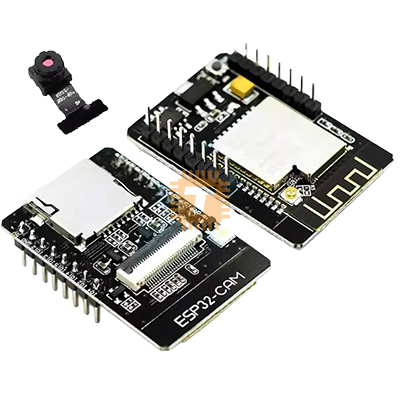
| Name | ESP32 CAM RHYX-M21-45 2Megapixel Camera Development Module |
| Code | MD1002 |
| In Stock | Yes |
| Package | MODULE |
Product Details
The ESP32-CAM RHYX-M21-45 is a compact and versatile camera development module featuring the RHYX-M21-45 2MP camera and an ESP32 microcontroller. It combines WiFi and Bluetooth connectivity with high-quality image capture, making it ideal for IoT, surveillance, robotics, and smart home projects. The module also includes an onboard microSD card slot for easy storage of images and videos.
Key Features:
- Integrated RHYX-M21-45 2MP camera module
- ESP32 WiFi + Bluetooth dual-mode microcontroller
- Supports image and video streaming over WiFi
- Onboard microSD card slot for data storage
- Compact module suitable for embedded and IoT applications
- Compatible with Arduino IDE and ESP-IDF
Specifications:
- Camera Module: RHYX-M21-45, 2 Megapixel
- Microcontroller: ESP32 dual-core 32-bit
- Connectivity: WiFi 2.4GHz, Bluetooth 4.2 (BLE + Classic)
- GPIO Pins: Multiple I/O pins for sensors and peripherals
- MicroSD Slot: Yes, supports up to 32GB
- Power Supply: 5V DC (regulated onboard)
- Dimensions: Approx. 40 × 27 mm
- Programming: Arduino IDE / ESP-IDF
Applications:
- IoT and smart home camera projects
- Security and surveillance systems
- Robotics and computer vision projects
- Remote monitoring and image streaming
- Embedded development and prototyping
NOTE 1: To avoid unnecessary trouble in connecting, please buy the ESP32 Cam Adapter Board as well.
NOTE 2: To make the camera working without trouble, follow the test procedure below.
- Select ESP32 Wroover Module from Tools -> Board
- Open Examples -> ESP32 -> Camera -> CameraWebServer
- Set WiFi settings, SSID and Password
- Set config.frame_size = FRAMESIZE_QVGA; (Comment any other frame_size settings)
- Set config.pixel_format = PIXFORMAT_RGB565; (Comment any other pixel_format settings)
- Open board_config.h file and uncomment #define CAMERA_MODEL_AI_THINKER line. Comment all other camera models.
- Compile and load. The serial monitor will show something like Camera Ready! Use 'http://192.168.1.7' to connect
- Open your browser and go to the given address.
Sharing is caring, show love and share the product with your friends.
Featured

Add to Cart


Other Products



Add to Cart
